Showing posts with label iPad. Show all posts

Tuesday, November 5, 2013

iPad in Class

I started using the iPad as a teaching tool sometime this year. I have actually been using it off and on in my classes ever since I first bought the iPadto show stuff or copy exercises onto the chalkboard from the many ebooks that I carry in my iPad. And that was about 2 years back, if memory seves me right.

Anyway, Airplay on AppleTV made it possible for me to project whatever that is on my iPad onto the screen. And to get my school onto this bandwagon.... one day, I brought my AppleTV to school and hooked everything up. Then I asked my Principal to come and have a look. From there, I got the green light to get a set for the school. With that, I moved most of my classes to the room to have their lessons there. And the last few months have been an experience of sorts, one which also allowed me to embark on a journey of discoveries.

One of the best discoveries was this app called Doceri. Doceri is basically like the chalkboard in class. I guess I could likened it to a chalkboard on steroids! Lol! It is now one of my main teaching tools. Having it in my iPad means that I can now prepare my lessons anywhere, as long as I have my iPad with me. And I am one of those people who carry their iPads almost everywhere.
I can do stuff on it which one could only dream of a decade ago on my iPad. Back then, they would require a certain amount of knowledge in animation and sound softwares. And that was daunting enough for many. With Doceri, the animation that I made below took a mere half an hour.... Could have finished it earlier if I had not been that fussy.

I have been able to engage students with other apps that allow me to manipulate timelines, use videos, mindmaps and images. And the best thing is lessons become clearer and I am less tired. Cos now, I don't have the write the same stuff on the chalkboards of a few different classes. I have better eye contact with students too. Lessons become easier to digest because lessons can get very visual.
I convinced a good friend of mine to give this a try. Unlike me, she had to bring her own devices. Yet she persisted and our experiences have been more or less the same in terms of student response. I was an early adopter with the use of the computer in class many years ago. But I abandoned it because it was too much hassle. This shows promise.

The last few months have been a time of discoveries. I have been able to adapt and adopt ideas and try out new stuff in my classrooms. I have also learned that with the iPad, very often our own imagination is the limiting factor. My school will be setting up more of such facilities. I have shared my experiences twice with my colleagues and once with teachers from another school (at the insistence of another friend).

There are some still with the Luddite mentality that technology does not offer much benefits. I think not. Technology is a great enabling tool. However, it's only as effective as we make it to be. To do so, we, ourselves will also have to undergo our own transformations and change of mindset. To make it relevant, we have to relearn ways of doing things.

Life is about constant rejuvenation.... a story of the old passing to make way for the new... I guess technology is one of the agents if rejuvention in the field of education.... 8)

Saturday, August 10, 2013

Me and Technology in Education

I've had my share of involvement in the introduction and use of technology in education. In my early years of teaching, I had the good fortune of working under a visionary Principal. I was a young gungho rookie and he was looking for someone to carry out some new ideas that he had in mind. So with the support of the school's PIBG, we embarked on an ambitious programme to introduce new technology to the school.

I bought a digital projection panel for the school. It was the first in the district and many schools came to have a look how it was used. The panel is placed on a regular OHP and then hooked to the computer. That of course is 'primitive' by today's standards. But we could project anything from the computer to the screen. The only setback was it was only in 3 colours. However, it was a cheaper alternative than a projector. Projectors cost a bomb those days.

In the ensuing years we went on to create a network for the school. Routers were big and cumbersome those days and a colleague's daughter donated two old sets which she brought back from the US. We bought our own crimpers and did the wiring ourselves. By then, the Internet was already a source of information. We learned as we went along, from the technology itself.

Then I had the good fortune to be involved in the planning and design of computer labs at a time when computer labs were a rarity. With about 700k funding from one of the banks, we embarked on an ambitious project which included computerized Braille gadgets for the visually impaired students. It was at this time too I got involved in web development, using HTML. I spent a many hours working on content as well as the webpages, putting in 10-14 hours at work sometimes.

The lab project was my last foray before a break from all techie stuff for about a decade. It was a good break though, looking back as it gave me time to focus on my boy. However, I continued to keep abreast with the changing trends... Those were also days of PDAs - Sony Clie, HP Jornada, Palm Vx, Palm m500, Palm 505, Tungsten T... And through it all, I found great joy in reading from them. My world had always been a connected and mobile one, even right from those early days. My first Harry Porter book was read on a Palm.

Then a couple of years ago, I switched over to the world of Apple. It started of with a MacBook. Over the years, more Apple products entered our household... Actually, the first Apple product which we bought was an iPod Mini. Anyway, ours is now a household of Apple products - iPod Shuffle, iPod Touch, iPad, iPhone, iMac, MacBook (Pro)... The tablets have become part and parcel of our lives.

And this is where I find it most amazing, of how the tablets is transforming education. Recently, I brought my own Apple TV from home and hooked it up to the old projector at school. Other Half had to go searching round town for a HDMI-VGA converter to enable it to be hooked up to the VGA projector. I showed by Principal and asked him whether I could start one at school, He gave the okay and I've had the most enjoyable and liberating time teaching these past two weeks with the iPad.... minus the trailing wires or the need to be confined to a small space.

I believe that we need to bring the world into the classrooms. Many of our textbooks are archaic. They are static too. The world we live in is evolving at a dizzying pace. Many of our students are bored at school. We are losing many kids too to this along the way. Many laments that our graduates lack many skills required at the work place.

Learning should take on new dimensions. We should focus on skills like analytical and critical thinking. We should teach our students to fish and not wait to be given the fish. Our system spoon feeds them to a point of debilitating them. We should begin to focus on personalized learning. For that to work, we need to inspire. We also need technology to assist us in monitoring individual progress.

I've had the most amazing response so far. I am beginning to see sparks of interest in some of my students' eyes. I find it amazing that some of my most laid back students are now the first to come to the room where I carry out my lessons. I find it incredible that I can move from one display to another with minimal fuss. There are so many great apps which have enabled me to bring the world into my classes. And apps like Doceri which mimics the real life interactive white board with many added plusses have increased efficiency, added educational value and made lessons interesting. It glaringly overwhelms the chalkboard. And oh... minus the chalk dust too! 8)

I have seen how technology evolves, right from those days when my alma mater bought 10 sets of XT machines. Those computers came with monochrome monitors. I learned BASIC programming on them. Then when I was in uni, bro bought his computer, an AT 286 PC with a composite monitor...

I think many of us would have not imagine that we would one day be swiping and tapping screens with such ease on tablets such as the iPad. It has indeed been an amazing journey and I think it's going to get even more amazing...

Friday, June 22, 2012

Fooling Around With Bento 4

Bento is a database app by Filemaker. A year ago, we bought it because I wanted to be able to build my own database to make my work easier. Thinking that Bento might be the answer, we bought the app. But I wasn't able to do much with it cos It was rather limited. And so, I left it there, sitting in my iPad, untouched after the initial tries.

For no reason, I fiddled around with Bento again a couple of days ago. That was when I found out that the old Bento was no longer available for the iPad in the App Store. Filemaker had decided to sell Bento 4 for iPad as a new app; that means no free upgrades for the existing Bento owners. 8(

A quick read-up of the new Bento was promising. Words like 'standalone', '4-star rating', 'aiming for the heavens', 'completely redesigned', etc, etc were glitzy enough to make one think that the product must be good. Of course, when I bought the first Bento, the marketing lines were glitzy too.. So, this time I was more sceptical. Anyway, I had a little extra time at work today because the students had to go for some ceramah... and after fiddling with it, have to say that the new Bento 4 is a vast improvement from its older sibling.

Photobucket Pictures, Images and Photos

Yup... many of the descriptions are true this time. The interface is easy to use. Also, being written for the iPad HD retina display makes viewing a really pleasant experience.

Photobucket Pictures, Images and Photos

I decided to build my class database as part of my fiddling around. Must have something meaningful to do to learn meaningfully. I had to build everything from scratch since I couldn't find a Malaysian sample to work from. Over the last 2 years, I have found the iPad to be a more constant and consistent work companion than my Record Book, Register, workbooks, etc. Those books don't follow me everywhere but my iPad does, well, almost everywhere. As a result, I can now do quick reviews regardless of where I am. The iPad has become a teaching tool which has made my work easier. If at all our MOE wants to look into improving teaching practices, it should start looking into developing apps for us. Tablets are marvellous teaching aid and tools, but with the proper and right stuff.

Being the class teacher of one of the most problematic classes in Form 5 means I have to deal with a high rate of absenteeism. And one way of keeping this problem in check is to hound my students unceasingly; which means that my records must be easy enough for review to enable quick action. Quick action here refers to Warning Letters being sent out on time and as soon as the criteria is met.

Photobucket Pictures, Images and Photos

What makes this Bento nice is you can have tabs. This particular tab above is mainly to keep track of the attendance so that Warning Letters can be sent out ASAP. When you have a class of students where at least half of them have a penchant of skipping school, monitoring the letters can be quite a headache. By this time of the year, it's at Surat Amaran 2 for some. I have actually been using the spreadsheet, Numbers to keep track of students' exercises as well as attendance.

It's unfortunate that Bento on iPad does not print. It would be another icing if it has a relational function too. But that would mean that Bento iPad can truly stand alone, and not be the stripped down version of its famed sibling, Filemaker. And if that happens, how would Bento 4 for Mac sell? Business sense rules in the end... So I guess, I'll have to wait for those features to be added. Eventually, it will come to the tablets.

Right now, Bento iPad is awesome enough to make people salivate for the desktop version. And that costs $29.99.

Well, this is a different sort of Bento for a change. I used to prepare all these bento sets for my kids to take to school. One container with many goodies. This Bento is like that too... it contains enough goodies for people to build personal databases.

Anyway, till July, Bento will be offer at $4.99. After that it'll be $9.99. An error of a purchase which turned out to be a fun learning experience.

Monday, June 4, 2012

Nearpod.... 1Malaysia Pad.. Proton

I came across Nearpod a couple of weeks back in one of the articles that I was reading. The review of it was very good and so I downloaded it. The verdict... Yup! It's good. This app turns the iPad into pods that communicate with each other. Thought the name was quite cool. Many years ago, we tried to use classroom management softwares in our computer labs. The concept was good but in many schools it never quite did take off.... teachers did not know how to use it and the learning curve seemed too steep for many, classroom size, infrastructure limitations, etc, etc... Then the iPad came along but I think we've not quite tapped into its potential. As usual we're rather slow in keeping up.

Photobucket Pictures, Images and Photos

Anyway, Nearpod works in that same capacity, except that it's super mobile! We are no longer tied to the computers at the desk. I tried some of the modules that they have prepared and found them to be impressive and fun. Pictures, movies, quizzes, mini tests at the end of each lesson and mark tallies are all available. There are 2 apps actually, the Nearpod Teacher and Nearpod Student. Works like a presentation. Teacher-pod determines what appears on Student-pod. Quite amazing! The pods communicate with each other via wifi!

Photobucket Pictures, Images and Photos

The nice thing is each student is able to view everything close up and take the assessments, and the teacher will know which student still have issues with the topic taught. What the teacher has is basically a set of slideshows with assessment tools incorporated. And the results can be printed. And we know how easy it is to print stuff from the iPad. One can develop their own teaching units by using the tools available on the Nearpod website. And one more thing. This is one more reason too why we should have just continue teaching Math and Science in English... resources, information, new knowledge, they're mostly in English. In Indonesia, the teaching of Math and Science is going bilingual. We took one step backward..... and someday, who knows, maybe labour market connection will be reversed....

Which brings me to this....

Photobucket Pictures, Images and Photos

Our 1Malaysia Pad. The 1Malaysia tagline is actually beginning to feel like some cheap marketing line. Why the Proton car picture? Well, I think at RM999, and running on the older Android Gingerbread 2.3, it's overpriced. Thailand is getting tablets for their students at $81 (that's less than RM300) per unit and with superior specifications, running on Ice Cream Sandwich, the latest OS.

We already have the free Netbook programme in place; give free hardware but till now, cannot really be used in classrooms cos there is no program tailored for it... And there have been so many reports and claims of abuses too.

By the way, a 16GB iPad 2 with wifi is only RM1099. Go figure why students should buy a 1Malaysia Pad and save only RM100, mind you, with an older OS. If it's RM300, then it's an okay deal. It seems there are certain quarters in Malaysia who think that Malaysians don't mind paying more for anything, everything, like what we've been paying for our cars because of Proton. Our ringgit has such little purchasing power and we seem not to care.

And recently, Tun M said that Proton needs some more funds and time. Once upon a time ago, Proton had the Koreans for company in the upstart bandwagon. Seems like we're still stuck on the wagon while the Koreans have sprouted wings and flown off. They have become world players. And we're still proud of our jaguh kampung status. And guess who has to pay for the upkeep of its seemingly PR status on the bandwagon? Yup! The people.

At every level we are paying more. Those who can only afford Proton pay more for it. Those who can afford other makes pay more too. We keep paying and paying.... and now they say they hope to sell this 1Malaysia Pad for RM999! Defies logic! Almost the same amount of money, one gets peanuts and the other gets a Wagyu steak.

So will there be real quality and success without real effort and hard work? I guess not..... unless we consider rip-offs, short changing as success.....

A 16GB iPad 2 at RM1099 from Apple; support and quality assured. 1Malaysia Pad? Anyone's guess.... but remember, it's running on old OS, some newer apps might not run on it....

Saturday, February 11, 2012

iPad for Dad

I just got my 70+ year-old dad a 3G enabled iPad. I was hesitant at first because bro had actually got him a computer earlier and after a couple of months he found it daunting. And being from the thrifty older generation where they had to work really hard to earn the $$$, a couple of months on mobile broadband  when he had the computer put him on a warpath with the broadband vendors. And that computer sat there, collecting dust after that.

Anyway, after seeing that he was spending most of his time at home sleeping, I finally took the plunge and got him the whole nine yards... Ipad with broadband subscription included. It's much easier for them to use when they cannot see the cost of subscription. Anyway, the misunderstanding about the broadband cost stemmed more from his ignorance of how they charge more than anything. 

And this is my observation after almost a month. iPads are good for the older generation grown on typewriters, simply because it's uncomplicated. Problem? There's only one button to press and it takes you home. But still there are many stories I could tell you of the problems I had with Dad during the occasional times when problems came up.

Dad likes to read news.... and the first thing I did after getting the iPad was to set it up with all the popular news aggregators, feeds. I went for the popular ones - Flipboard and Zite. Plus I downloaded whatever news app that I thought might contain the news he would like to read. I had shown him Twitter on my own iPad and he liked being able to read the different news from there. So, I set up an account for him. He keeps confusing Twitter with FaceBook. Because he has some medical problems, I made sure I subscribed to sections on health, fitness, diets, nutrition on Zite so that he can be reminded to take the necessary care via being reminded through reading.

I also put a Bible App in... It reads the Bible aloud in Mandarin. Older people usually complain of eye problem. Being able to listen instead of reading is a good substitute. For good measure, I put in a Radio app too. He has found the Radio app entertaining, he said. He listened through the Book of Matthew in the first month.

A 3G enabled iPad means I can set up Skype too. I talk more to my parents now and I can see them. Mom has more aversion to picking up something new but for the past weeks, Dad has been able to bring the iPad to her and I can see her and talk to her while she potters around or does her routine exercises. Again for good measure, I installed Viber too since Skype sometimes goes off... Viber is actually for the smart phone but it gets the job done too on the iPad. 

I am not around to teach Dad expand his iPad know-how. But what I have found a challenge out of this situation is it has forced me to think of ways to start a long distant teaching thing. And I started using pictures! Those with experience teaching older people will probably understand how challenging it can be to teach them new tricks where techie stuff is concerned. One must remember that it is hard for the elderly to embrace technology. It is difficult for them to remember what does what and goes where. I have been using Skype with Dad for a month, and each time I tell him to switch on the video, he tells me that there are no 'buttons' for him to touch. It also requires a great amount of patience. 

I capture screens on the iPad and using apps like Skitch, I would circle/highlight the areas he need to touch and fill in. Written instructions are also written or typed beside the highlighted or circled areas. Then I would send the series of pictures in sequence over Message or Viber. For someone who is not tech phobic, it would be a piece of cake. But believe me, even with all the instructions laid down in pictures, Dad still found it difficult. Yet, he has said that the iPad has been a wonderful tool because he is able to read so many things. He was telling me that he wants to learn how to put in his comments on the some of the issues that he has been reading. LOL!

I put in a Chinese Chess app too but so far he has not taken a bite on that yet. But for those who like Sudoku, word games or just enjoy some moments of fiddling around, I think there is great potential there too. 

I am convinced that the iPad is a great tool for the elderly. The simplicity of a closed system made many of the tasks which seemed impossible on the computer available to them... all just a touch or two away.

Friday, December 2, 2011

iPad App - Pearltrees

Pearls don't grow on trees. We grow them in oysters in the seas. Pearls are beautiful and they're a sight to behold. And so, enter Pearltrees, the app. Pearls and trees... the worth associated to pearls and the growing and branching out; getting more knowledge. When I first discovered this app a couple of weeks back, the immediate attraction was it would enable me to organize the many websites that I want to keep for reference. I bookmark and create folders in my computers for the sites I want to use but whenever I am at another computer, I would always have difficulty recalling a particular site that I want to refer or use.
Pearltrees 2

You grow your own pearls of information, knowledge, wisdom.... call it any name you want. But the bottom line is your pearls keep growing...... and growing. One pearl can grow into more pearls and so on. The pic above is a close-up of how your pearls may look like.
Pearltrees 1
This is the screenshot of the whole page. Within each pearl you can grow more pearls, which are actually links to the sites you want. You can create your own downline... sort of like a direct marketing model. If that's not enough and you want to know what other similar pearltrees you might find out there, you can do so.... one arrow leads to more gems of knowledge and the trail keeps going on and  on. The arrows are like your path to like-minded people.... for 'birds of the same feather to flock together.'
Pearltrees 3
Clicking on the arrows on the pic before this one brings you to neighbouring like-minded pearltrees. And there you have it, a sharing community. It's very much like a social networking but of a different kind; though not as people-oriented as FaceBook, still one that appeals a lot because one reference leads to another, info to another. It makes it a great informal library of sorts for one.
Pearltrees 4
There is also the ease of which you can pearl a website by bookmarking it, once you install it into your browser. Installation is a breeze. Just follow the set of instructions that pop up during the installation and it's ready for use.
Pearltrees 5
Once you bookmark the site, this page appears and all you need to do is just to 'Pearl the page' and you will find the new pearl among your pearls, to keep until you choose to delete it. You also have the option of organizing it or leaving it at the bottom bar till you figure out what you want to do with it.

I could think of plenty of uses for this app. For people like me with varied interests and also write,  it's great for storing sites with which provides information and data for future reference. And for, teachers like me who get bored using the same materials, this can be a possible site resource centre. I could create pearls for different components of the language and pearl (a new verb... LOL!) the sites. LOL! I could even use Peartrees as a lesson... teaching students the ropes and how to use it to organize ideas and thoughts; the future. Students would probably have more fun learning how to do mind mapping in a different way. This would go very well with IThought HD. And it would be a practical skill.... Alas, the MOE were not far sighted enough to give iPads instead of Netbooks.... the 1Malaysia Netbook. The missed opportunity was the Government gave the Netbooks without any solid plans or programs to maximize its benefits for the students.

The Pearltrees app will  probably help students a lot too, especially if they are doing research. Everything that is related can be pearled for later use. 

In short, this is our very own personal aggregator, made by us, tailored to our own needs and with the flexibility of the octopus tentacles reaching out to other pearls made by other people along the same line of interests. And more and more too, I think laptops are heading towards being obsolete too... cos apps are easier to learn.

Monday, November 21, 2011

A Sense of Purpose

Other Half says I am an Apple evangelist... LOL! I've been buying for or convincing my friends and family members to get for themselves either the iPod or iPad ever since I started using them. And I have found many good uses for them. No iPhone in the list cos I didn't see the need in it earlier but I'll be getting the 4S. 

Anyway, for most people, an iPad should suffice, unless you have needs for a smart phone. For those of us in our presbyopic years, the phone screens are too small for comfortable reading. Moreover doing stuff on a bigger screen is way easier for senior newbies. The mouse on the PC is rather daunting for them. And these are the lessons I learned...

Give a person something, but if that something does not meet a need in his life, for whatever promises it might hold, it is useless.

My oldest iPad convert is into her mid 70s. She got convinced to get one because she was captivated by references which she can make on the Bible apps. There is a new zeal in her to study in depth because she sometimes gives sermons over the pulpit. Bible study is a breeze because multiple references can be made easily. Also, many apps have Bible Reading Plans and Devotionals incorporated, making it a one-stop with options of font size, brightness and background adjustments. You can't do all those on a printed book. And so she became willing to try to figure her way around this new gadget because it fills a need and in part too because Other Half and I availed ourselves to be there for her; to get it for her and to show her the ropes.

I had the opportunity to show her the other functions in my first session with her... I saw her eyes light up when I showed her how she could see her children and grandchildren's photos on FaceBook. She began to see that there was much more this new gadget could offer her. It's very much like introducing the Gospel to someone. First, see the need, then the act to accept/receive. And once that door is open, then one will find more relevance and beauty. But first one has to see the possibilities. And opportunities must be provided to learn, serve, etc.....

I have another friend in her 60s who wanted very much to share her photos on FaceBook with her family members. She had found the PC daunting.... There is a pull factor but there were barriers too sometimes we need help to overcome the barriers. I always assure these senior friends of mine that I am only a call away.... Being in the family of God is supposed to be like this too.. but sadly we often fail here. There are daunting moments and trying times, we are supposed to be there for each other, go the extra mile but sometimes it's hard to do because it means giving up some things which are dear to us, sacrifice. To create a strong sense of belonging, more is asked of us.....

One of the things that I have noticed among us, adults is we are always fearful that the computer will crash if we press a wrong button. And when that happens, we might have to send it to the shop. It costs not only money but worries as well. But when I tell them that it's okay to try and will help them out, some actually let go of their fears and learn to use their tools really well too. I've another friend who would not hesitate to call me whenever she ran into problems... sometimes even appearing at my doorstep at night. Service. Very often we think people are not ready and so we do not give them the opportunity because we think they might not be able to handle it. Or maybe we hang on because we want to continue to feel relevant. The thing is we forget that if we don't provide the time and space to try, they'll never be ready, they'll never be good... simply because we keep waiting for them to be ready. And they never will because we actually shackle them. I think it's okay to 'bungle' up a bit... we just need to be there to hold them or guide them a bit. Encourage or even be critical in a positive way.....

Anyway, being an iPad 'promoter' has its own rewards. I enjoy seeing faces lighting up. I like to know that in some way, I have helped chalk up some happy moments in their lives when they can Skype their children, read a book, organize their photos....

We recently got another iPad for Other Half. The oldest iPad in the house now is shared by our kids. These days, I do mind maps of stuff for my kids and dropbox or email to them for quick reference. Scanned materials find their way there too for easy reference. It's a breeze cos I no longer need to print them out or sit at the computer with her. My son asks me for points for his PA and our discussion is paperless.. from wherever I am in the house, and I will email it to him. He has begun putting his notes in the iPad. It's easy and convenient... one tool, everything that has been digitalized can be put in.

Putt Putt Saves The Zoo

And this! A page from Son's childhood.I was pleasantly surprised when I saw Putt Putt in the App Store. Suffice to say, we bought it. Brought back memories of those days when Son was just a preschooler. We'd sit with him at the computer and help him solve the puzzles so that Putt Putt can save the day. 8) My girl enjoys it too. The graphics are not HD but it's still nice game for kids. Better than those mindless games that are aplenty these days.

The iPad is changing the way we interact with our world. Who would have imagined that after all the flops before it. And it has also taught me a few lessons about life too...

Wednesday, November 16, 2011

New Old Stuff

End of the year is when I have more time in my hands and this year, I am rather happy with what I have been able to learn. These are my current preoccupations.... and they left me rather exhausted, mentally on most days, but the time was well spent.

What started as a goal to teach my gal Science in Mandarin developed into quite an interesting journey of discovery... and it's still evolving. I still can't read very well but with the right tools, I have been able to plod on. And so, it was with much amusement to myself when I decided that I would try to do mind maps to help me teach her concepts and ideas. Another search in earnest and I came across this after trying out a few other mind mapping apps. IThoughts HD....
IThoughts2
Making the maps was the easy part! LOL! I used to make such notes when teaching my boy, but they were done on desktops; with Visio and then later Smart Draw in a language I was totally familiar with. I moved on to Concept Draw when I switched over to Mac. So, it wasn't something new, the mind mapping. Trying to remember and read the Mandarin characters were the tasks which gave me lots of headaches! But this app is cool because I can expand and collapse the callouts. And to make it even more PPSMI friendly, I did it in 2 languages! ... all on one single page. 8)
IThoughts3
When Other Half showed me his discovery what the iPad was able to do for the blind, another door opened to me; the half blind in Mandarin. I can always depend on support and new discovery from Other Half... 8) And it was also then I understood why Stevie Wonder thanked Steve Jobs for the iPod, iPhone and iPad. And it met my needs too. The beauty was in the Voice Assist function. For the visually impaired, the Voice Assist together with the Assistive Touch functions enable them to navigate the seemingly impossible tablet screen and empower them greatly.

Having volunteered my time for a visually impaired friend during my varsity years makes me appreciate these functions even more because as I worked with him, I understand the limitations posed by their lack of sight. But it also made me aware I of the technology involved and how it has evolved over the years. For the visually impaired, they depended a lot on the sighted to read for them. But the computer age changed all that. By the time I graduated, I remember seeing scanners and computers at the library for the use of the visually impaired. Scan and OCR and there were softwares that could read for them. It freed them of the need for us, the readers.

When I helped to set up a computer lab for the visually impaired students some years back, equipment had to be procured from the States. They had been some improvements but they were still cumbersome to use. The iPad is liberating.... and I think Apple did good in making sure that this technology works so well for them, even though the visually impaired group is a small one. Apple deserves one up for this effort.... Kudos to Jobs! I tried navigating without the help of my sight and found that I could.... Amazing!

With Voice Assist, I can make the iPad read for me as many time as I want the words in the mind maps too! That's as good as any teacher I'll get for sure. The iPad has enabled me, with a half-baked command of Mandarin to do the mind maps! Awesome!!! I would not have dreamt of this 5 years ago!
HanDbase
The next project that I embarked on was database, for next school year. I wanted a database for class management, so that I can manipulate and call up the information that I want at my whims.... 8) I used HanDbase many years ago on my Palm. But what greeted me this time was more exciting. Through trial and error I discovered that I could do many things with it. Me, who knows very little about database building could get it to work.... LOL! Of course, I was feeling rather pleased. I thought with age, our learning slows down. These days, I am beginning to realize that it's our attitude that counts more than anything...
HanDbase1
And so, I plodded, tried and retried... until I managed to get it going. I am now able to get forms out... will try it out next year! And improve on it.
ZiteRunningSlow
I capture this screen weeks ago... found it amusing that it is so polite in apologizing to me about the slow speed, which wasn't even the app's fault to begin with! And that's one of the thing I like about Apple... they pay attention to the small details, which sometimes don't seem important but is able to bring out a smile from you in a moment of utter frustration when a page doesn't load.

Tuesday, October 11, 2011

More on Learning Mandarin...

One can only read the same stuff that many times before one feels bored. Been trying to learn and improve my Mandarin to teach my girl her Science which is in Mandarin. Ebooks that read to you are mostly kiddy ones. Then I remembered this... the Bible. It's practical and the reading list is endless...

Bibleis
Enter this iPad app called Bible.is. The opening screen says this - faith by hearing. And indeed it is faith by hearing! 8) It reads to you in Mandarin. I learn to recognize the Chinese characters by following it on the screen while it is read out to me. I like the way they read it too, making the Scriptures come alive, different voices and all that; multi roles. Bible.is comes in many languages - Malay language and even Hakka! This reads to me as many times as I want. And I can make it repeat it as often as I want too! It negates the need to ask someone do it for me. Humans get tired. Gadgets don't. Moreover, I will not feel sheepish at my own forgetfulness. The only snag is you need to be online for the audio section to work.
Holy Bible

The reading continues even when you open up other apps. And since I have some difficulty understanding everything, what I do is try to read the verse in its English equivalent while the reading is ongoing. I am also using YouVersion for the same purpose. The only difference is, this one doesn't provide you with the drama - no multi voices. It is more of a narrative. This a win-win situation cos I learn how to read and the Scriptures too.

Paul Avery

But if I want a side by side comparison, I use The Holy Bible by Paul Avery. The problem right now is the Mandarin translation that I have is not the simplified version.

One more example of how the iPad has enabled individualized learning... and doing a pretty good job at it.

Sunday, October 9, 2011

My iPad and I

I think it's beginning to become clearer that tablet computing will change education in ways we never imagined... and the picture became way clearer after Apple's iPad. Personally, in less than a year after we got our first iPad, it has enhanced many areas of my life.

After a few months of the first iPad, we realized that the iPad is highly personalized. Everything you play or touch stops at where you stop. The next person who uses it has to either start all over again or pick up from where it was left off. So it becomes highly disconcerting when someone uses an app that you had just used. It's like your space getting invaded and most of us can get quite irritated by that fact. And so, we got ourselves a second iPad, the iPad2.

The iPad has become many things to me. It became my library. I started packing all kinds of books into Stanza and iBook. I'd cut my reference books and scanned them so that I could carry them around. I downloaded books, magazines; all kinds of reading materials into it. Emailing articles to myself became a norm because the iPad is always there. Slowly my iPod Touch was relegated to be my book companion during gym time. The iPad enhanced my already wonderful reading experience after a year of fantastic reading time on my iPod Touch.

I'm now thinking iPhone because it would make it more convenient for me to learn Mandarin via the Pleco app. I used to think of the iPhone as quite unnecessary but now has now become a 'need' because it will aid greatly in helping me learn Mandarin. Its camera can auto focus, a feature which will make live OCR a more pleasant experience. The iPad became my teacher where Mandarin is concerned. But it's too big to hold over words to scan them. While it may not teach me the nuances of the language, it's probably the best teacher I have at the moment. No human teacher will be able to withstand the same repeated query that I give out. The 4s comes with a camera which with a f2.4 lens, which makes it an added pull.

The iPad has seeped into my work. It is quite clear to me that tablets will be integral to education. But I also think our MOE is slow to respond to this technology. Unlike other countries, we have not even yet started mulling over its applications. We should start working on digital textbooks and apps to aid teachers. There're very few if no education apps tailored to our local needs at the moment. So I adapt from whatever I can get my hands on. And teachers should be exposed to the educational possibilities offered by tablet computing. The iPad has become my most convenient and faithful personal assistant at work.. I also use it to keep records of work given and student data. My extensive library means I never run out of exercises or ideas. At home, I have a HP printer which makes printing on the go a breeze. I can be anywhere in the house to send a document for printing, as long as there is a wifi connection. Printing on the fly. But when there is none, I have my MIFI to fall back on.

There was one day I was teaching a poem and I had difficulty trying to describe the guango tree to my students. The iPad was very handy. Word definitions, extra information came in a jiffy. I could even show my class how the guango tree look like. A picture speaks a thousand words. It is also changing my mindset where learning is concerned. I am beginning to realize more too how learning will take on a more individualized form. The teachers will eventually be mentors. We should increasingly take on the role of managing and guiding the students in their learning. Our roles will be one that helps to connect the dots to a bigger picture. Going online during lessons enhances learning too, I believe. There is a greater need for dynamism and willingness to adapt on the teachers' end. Without that, we will be quite ineffective as agents of educational advancement.

In the days before the iPad, I had only the Besta Dictionary to rely on. And it costs just as much as an iPad. With the iPad, I get a more versatile 'Chinese teacher' and it meets my other 'needs' too. For me, the one most dramatic contribution of the iPad has been how enabling it has been in my learning of Mandarin. As for Pleco, I have nothing but praises for the people behind it. After purchasing it, I had some trouble getting it to work. It seemed that the ITunes servers had been under hackers' attack on the day I made my purchase. The Pleco support was fast and efficient. Within the day itself, my problem was resolved and each email I received was signed by Michael Love himself. Michael is the founder of the Pleco company. It's interesting also to read up how he hacked up a usable Chinese dictionary with a Palm IIIx in his early days. Other Half and I went through a couple of Palms. My first e-book was read on a Palm V. And it has evolved into the Pleco on the iPad I use today. It takes someone who has gone through the difficulties of learning Mandarin to come up with those features that Pleco has which reduces much of my pain of learning Mandarin. Only someone who has gone through the struggle understands.

Ebooks have transformed the way books are presented. Reading is a different experience for my girl. I've bought The Fantastic Flying Books of Mr. Morris Lessmore, The Magic of Reality, and they're awesome. I am in the midst of downloading Back In Time which is supposed to be a cool ebook too! Today these are novelty but sometime in the future they will all become the norm.

Magazines! Articles! Blogs! News aggregators aggregate them for me. You have CNN, Editions from AOL, Malaysian News App, Singapore News App... the list is quite, quite long. There are always more than I can read. Individualized learning, continual and lifelong learning... the iPad is totally capable in providing that sort of platform. The local newspapers feel rather boring after all these, I can tell you. So, you'll pardon me if I think teachers will be obsolete or utterly boring if we are not able to keep up with the tools and know how of how education will change in the coming years or even the possibilities that might open themselves up.

There are apps to make my tasks for many things easier... the Bloomberg app to monitor the markets. I even bought Bento just to try out. With Jib Jab, we had some fun personalizing books and teasing our little girl. Even Barrels had a go at this book. My girl has had countless hours of fun with the Talking apps. Sometimes it seems so crazy but I also realized that it gives them an outlet for fun which is good as a stress buster.

Even in between household chores, I could surf the Net. Or listen to a talk (podcast, sermons, talks) downloaded earlier or make quick references. Recipes abound in the Net. Multitasking has never been easier..... I am constantly learning about the existence of sites which can complement classroom teaching, the simple reason being the ease of use. I get to copy ideas from everywhere. I used to have to sit for hours in front of the computer to do that. These days, I do it on the go. I don't see any courses organized by the Education Department teaching us or at least giving us teachers an idea to do that. It's hard to imagine us moving forward with such lack of vision.

And games...they've never been more fun. There're opportunities for family interactions via the games. The iPod Touch (we have 3) become the racks, the iPad the board. You have Fragger HD, Asphalt 6 which are just entertaining enough. No need for joystick, just one tool, and super intuitive too. If that is not a one all tool we need most of the time, I don't know what is.
Twitter

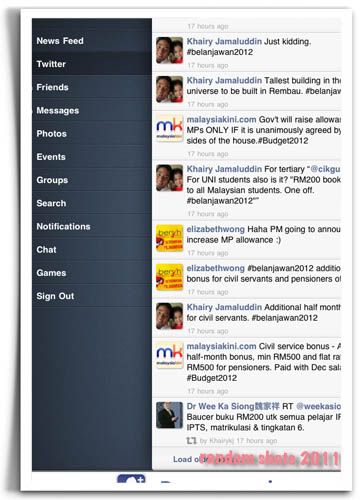
I always found budget speeches boring to sit through. This year I multitasked... played some games, passed some comments, read some while following Budget 2012 on Twitter. I use MyPad, which enabled me to switch between Twitter and FaceBook in one single app. In one day, I followed 10 new people on Twitter - Parliamentarians and newspapers. I did not have to sit glued to the TV. And I got all the salient points. After the budget was over, I downloaded the Budget Speech into my iPad where I could read in detail the areas of interest. This morning my colleague wanted to confirm something in the budget. I whipped out the file I downloaded and showed it to her. Last week, I downloaded a Surat Siaran to read and when my clerk said she had no copy of it, I emailed it to her immediately from my iPad. Information at my finger tips.

In the days after the passing of Jobs, I've been watching his videos and my admiration for him has grown even more. Imagine this, he was already talking about the iCloud back in 1997 and even Siri way before that too! He's truly a remarkable man. People may not be able to open up the iPad to see what's under it that makes it run but little kids, senior citizens... they have all warmed up to this tablet. And that's the genius behind Jobs. He made all these possible, for us to own that little bit of luxury that is so simple to use. And he truly deserves to be compared alongside the greats in history like Einstein, Newton, Edison.... I started writing this post this morning on my 3 year old MacBook and end it here on my iPad on Blogsy.... in a couple of minutes, tomorrow dawns.

Thursday, September 8, 2011

One iPad App for 2Es

Education and entertainment... 2 integral areas in our life. And this latest app that I've tried out caters to both.

TagDiskHDLite

This app is worth a second look...TagDiskHD. I am using the Lite version... cos it's free. Am always thankful that the developers offer 2 versions. Have tried it out and liked what I could download with it and may just buy the full version.

Tag Disk

What is good for? Downloading media files to be played on your iPad. It is able to download YouTube files into your iPad for offline viewing. For people like me who still have a relatively slow line at home, this is good. There are many video clips on YouTube which have good educational content and also good old movies. But I hardly watch them cos I need to be online to watch. Now with this, I can just paste the URL into TagDiskHD and download it for offline viewing later. And because the current IOS can multitask, it'll download while you do other stuff. Should you go offline while downloading, the app will seamlessly continue the download later. So, I've been able to download wherever there is wifi connection.

OpenCulture

That on its own should be good enough but with sites like Open Culture which contains list of old worthwhile watch of old movies and good educational recommendations, TagDiskHD is very handy to have. I downloaded Animal Farm by George Orwell, the 1954 animated version. It was the first British animated film to be released worldwide. I am actually reading the book again now... though it has taken me ages to finish only half of it at the moment. Too many distractions and commitments at the moment. I think I have read the book before but this time around, it gives a totally different insight.

There are hundreds of old movies which can be downloaded from the site. But some have geographical block; only for the US. The Science section contains an archive of really interesting videos. I downloaded some on impulse and found one to be immensely interesting. The site also recommends other sites with lists of downloadable watchable stuff.

I shall be trying this out with other downloads. I think my kids will be downloading Mind Your Language from YouTube once I tell them.

Sunday, August 21, 2011

More iPad apps..

New Apps

These are the recent apps which I found rather useful...Pleco, HEDictEc, Dropbox, Discover and PDF Reader Lite. All apps are free but for Pleco the add-ons can cost up to USD$149 in total.

Discover

This was claimed as a must have app for teachers. This is Discover by Cooliris. It's an encyclopedia with daily updates from Wikipedia. You get to download their daily encyclopedia of 2 articles, displayed in a book format; very short reading. The update for the day goes into your iPad each time you open the app. There are pictures which go with the articles, so compliment the articles and help make them more interesting. And yup, teachers should have this app so that they read more.

Pleco 1

Another app is Pleco. This is a Chinese-English dictionary, very much like Besta. I replace my Besta a year ago at the cost of RM1.3 K. Pleco with all its add-ons is still way cheaper. Of course Pleco does not have the BM dictionary. The app is free but there are add-ons which you can purchase. And I bought their audio add-on so that it reads for me. It's USD$15.99. There is nothing like one touch to have the phrases read to you. I like it better than Besta cos the English meaning is given at the same time too. Lately I realize that my girl has problem understanding her Science which is in Mandarin. We need to sit down with her... but we have problem with the language used.

Pleco

One more thing, you can also type in the romanized hanyu pinyin of a certain phrase; which means that it you are listening to Mandarin words, you can juste type in the hanyu pinyin and the meaning comes out... But a little knowledge of mandarin goes a long way in helping you understand better cos you still have to identify the words. You can also type in the English word for its Mandarin counterpart as well. This is helpful when I want to explain certain concepts to my gal in Mandarin and I'm at a lost of the Mandarin words.

HEDictEc

I also use this app HEDictEC FREE to help me with my English-Chinese translation. Life is tough for parents like us who are not very Chinese literate with kids in Chinese school. It's a constant struggle cos all the subjects are in Chinese. And because our kids think first and foremost in English, grasping the lesson content becomes a struggle too.

PDF ReaderLite

This is Other Half's ingenuity. One more app to aid the 'banana' like me who has a little Chinese education. Many of us use PDF Reader. ... He OCR what he scans from the workbooks and then uses Google to translate them. All the yellow annotations on the screen are the translations. Touch on the annotation and a window pops out with the meaning of the Mandarin phrase. Other Half does the scanning and translation. And now when we sit down with her, the iPad is with us as our digital translator.

Then we share the files at Dropbox. This is where Other Half drops the exercises he has annotated to be shared with me. We're just starting to use this... after getting our girl's marks and seeing the need to make sure she doesn't fall too far behind. The problem is the language for when the questions are in English, it's way easier for her. Having the computer around when we teach her also helps.

Asia Radio

And this.... a little entertainment while one works. Asia Radio. The radio can be playing on the background while you work or read on the iPad.

Asia One

The beauty of it is you can set the radio station and put them below as little icons. There are so many radio stations to choose from. I recently took a liking to some Japanese stations; not that I understand what they say but their songs seem nice.

These are some of the latest apps which have come to our rescue in teaching our gal.

Sunday, July 17, 2011

The Flying Books of Mr. Morris Lessmore

This is an ebook, a kiddy ebook... with lots of animation and action. The guy responsible for this is William Joyce, supposed to be one of those people doing those animated movie stuff at Pixar; he's an award winning illustrator FYI. Who doesn't know Pixar, right?

Anyway, I read about this new supposed to blur the lines between picture books and animated movie app more than a month back. A check at the App Store showed this to have been put there in May. I usually resist buying kiddy books but for this one, my curiousity really got to me and I told Other Half that I was going to purchase the book.... my first kiddy book purchase from the App Store @ USD$4.99.
The Flying Books
And was it good?? The first page was quite impressive. Notice the ghost like hand pointing to the book? Throughout the app, such kind of 'ghostie' help would appear to prod and prompt user to try certain things, like move put your finger on the screen and turn round and round to make the house disappear into the eye of the tornado.
Upside Down
So, what do I think of this book? One word! Impressive! I enjoyed the book too. Not only were the graphics and animation awesome... they made use of iPad's features like the gyroscopic thingy and of course the touch pad. But the icing was The Flying Books of Mr. Morris Lessmore is actually a nice story... one of those stories that actually tugs at your heart string.
Hello Books
Kids (and me!) are kept entertained through various 'activities'. And some of them are actually fun. And the colours are vivid, facial expression of the main character, Mr. Lessmore, rather cute too.
Flying Lady
Did I enjoy the book? Oh yes! Perhaps I should rephrase it this way. I enjoyed the experience of reading the book. It's always nice to have a nice story, add that to animation, snippets of music here and there to create the mood, and a nice ending... Ah! That's what fairy tales are supposed to be.... it gives one a warm fuzzy and happy feeling.

And what do I think? Yup! Change is on the way. The way we read will definitely be seeing changes in the next couple of years! Paper will probably be out! The digital way is probably here to stay. There will be those who will insist on the good ole paper books that you can hold and flip the pages but this one is probably here to stay. All the senses are put to work in reading... would that be over stimulating? I don't think so. Would kids love this? That would a be a resounding YES!! And is the the USD$4.99 worth it? I think so too... it's at times like this that I wish my MYR is 'bigger'; better purchasing power.

I was just telling my students this morning that in this short lifetime of mine, I've seen how the computers evolve from those days with the green monochrome monitor to the laptop, smartphone and now tablet computing (skip a few steps)... and it's been awesome! But then again, the person who lived through the Industrial Revolution also will say the same of the progress that he witnessed.

I wonder whether I can sneak this in (play the cheat mode) and claim this as read number 23! LOL! For those with kids, this book is definitely worth the buy, for the experience as well as the story. After all, Pixar's signature can be found in its very essence! My gal enjoyed it tremendously too!

BTW, you need an iPad for this to work.... 8)

Wednesday, June 22, 2011

More iPad Apps

And it's awesome! It's 9.7" screen is just nice for viewing videos, pics, pdfs... not forgetting too more words fit into that one screen compared to my iPod and the rest of the smart phones.

New discoveries (for me) for free apps!
Kayak
Kayak... this is great for those who fly. Just type in the point of origin and destination and the app will list the airlines for you; from the cheapest to the whole nine yards! And there's even a map just to make sure that you are departing from the right place and landing at your right destination!
Qwiki
Qwiki... Nah! Don't go thinking about the other quickie. 8) This Qwiki is a documentary on the go, cos you get video and pictorial descriptions. It's a great tool for teaching. Good research, vivid pictures. Its narration sounds robotic but it's very comprehensible. And the best thing is, it's short. Caters for the short attention span of kids. I have used it to give my gal background info on certain stuff. Other Half and Daughter have Qwiki as bedtime stories now... yesterday night, they learned about ABBA, as in the Swedish band... introducing the band responsible for the songs in the Mama, Mama Mia movie.
Historical Collection
19th Century Historical Collection... and they're free. If you are a 'the-other-older-century' buff for its lit stuff, this one is not bad. I'm currently reading "Fables For the Female Sex" by Edward Moore but do not know when I will be able to finish it as this one I read in between lots of things.

Twitter for iPad... I've been using this for sometimes, mainly to keep track of what's happening in the politicians' realms, the issues of the day, etc. I'm not much of a tweeter though. Twitter is a rave among the young, I know. Somehow, they seem to want people to know where they are, what they are doing, etc, etc.

And those 'talk-back' silly apps, like Talking Tom (the cat). They've a whole range of talking animals now. But I also see great educational value there. The kid actually gets to listen to himself talk. It's provides an alternative to teaching pronunciation! LOL! Another plus point for us adults is you can talk yourself silly to the silly animal on screen. I think it's not uncommon to find adults talking silly stuff to em, you know, the kind of talk that we usually reserve for the babies??? Whatever it is, I think it's a great way to destress also!

But my top App remains Numbers... it is so handy to have a spreadsheet at hand, it affords me the convenience to organize my data in ways never imagined before.

Friday, May 20, 2011

The Stork Came ...

...big, huge and with a belly filled with goodies, it flew from China
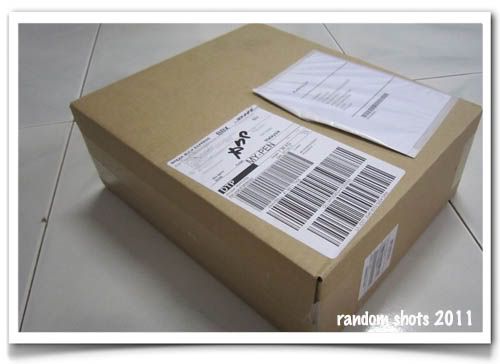
DHL
and deposited this.
Box
We ordered our iPad2 online. Just didn't fancy lining up with all those diehard iPad young fans, who can stand and stand in line for it. So, we took the easy way out. Tapped on our keyboard, sent some digital instructions, paid via plastic money and finally it arrived! This in an age of the world getting small like a kampung.
iPad2
My new upgrade!!! Wohoooo!!! Thinner and faster, they say. I am looking forward to it being lighter on me. 33% less in thickness translates to a noticeable weight reduction. For people like me who have to climb up and downstairs every day, a lighter load to lug around makes a great deal of difference on my pair of knees.

Anyway, in Apple elegant and minimalistic simplicity, transferring everything from the iPad to iPad2 was very painless. iPad1 goes to Other Half... my turn to get the new toy. 8) He's been glued to his iPod lately, squinting his eyes on the videos and articles. Everything is going to be 4 times bigger after this when he gets the iPad. LOL!

The iPad is something I truly appreciate. The books that I have inside ensure that I am never in want of ideas of quick exercises whenever I go into a class. It beats the scramble to search for books in my drawers or on my table just before I enter class. Of course too there are many other uses for me too but this is one makes me really, really pleased.

Now for accessories... a connector to the projector would just about complete my collection of connectors for it.

Friday, May 6, 2011

Books on iPad...

There are so many apps for reading on the iPad and iPod. My 2 favourites are Stanza and iBooks.
Stanza
Stanza because I can transfer books on the fly from my computers. It's a 'Look Ma! No Hands!' kind of transfer. All you need to is to grab the book via wi-fi. Downloading it into the iPad (or iPod) is effortless. But you need to install the desktop version into your computer. And while you are at it, you might want to also take a look at Calibre for ebook conversions.... yup, ebooks come in many formats and sometimes they need to be converted. 8)
Stanza Library
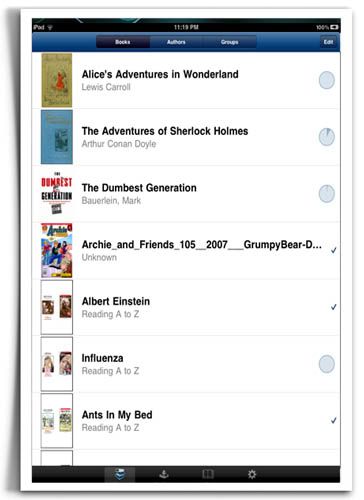
This is how the booklist looks like. I use Stanza mostly on my iPod. I think I've more than 100 books in it at last count. And to make easy for me to locate the books I have not read, I categorize my books into 2 collections - 'Read' and 'Not Read'.
iBooks
iBooks is another apps that I use a lot, mainly on my iPad as many of my reference books are in pdf format. Reading pdf(s) on the iPod takes lots of effort as you need to scale and move the page around a lot. With the iPad, reading is comfortable enough.
Postcards 1
My most recent preoccupation... 'chopping up' my books and scanning them so that I can put them into my iPad for easy reference. This is one of the books which I bought last month. It is now in my iPad. These days my iPad comes in very handy when I need quick exercises in class.... grammar, comprehensions (short and long), ideas, etc, etc...
Book
This is another book which I recently chopped up. As you can see, it's a comfortable enough size for the eyes. At the bottom of the screen you have all the pages of the books. Touch on any and it'll bring you to the respective page. At home, I can just print direct from my iPad straight to my HP Laserjet 1536 dnf. With the right connection kits, it can even be projected; and that is one of the things that I plan to get when I get my iPad 2.
iBook Shelf
iBook library is really quaint cos one has the option of choosing the view of shelves with books on it; just like a real library. This page is my English Reference pdf collection. I've lost count of the number of books cos I keep adding on to them.

But for both iBooks and Stanza, books can also be added via email. You can email yourself books and open them in the apps. Easy and hassle free. There are many other readers out there, some of them really good from what I have read but for now, these 2 will suffice.

Saturday, April 30, 2011

Podcasts on iPad

More on my sort of iPad apps.

I discovered the joy of podcasts not too long after we got our first iPod Touch. What is a podcast? A podcast is basically a audio or video file containing the stuff you want to listen to. I'll leave the technical jargon out of this cos there's always Wiki to refer and it does a far better job at defining than me.
Podcast,iPad
Anyway, podcasts are fun mainly because you get to choose what you want to see or listen. I've found them to be educational as well as entertaining.... good 'makan' companion. I've this habit that I must read or watch something when I am eating alone. So this podcast thingy is a nice companion to have. My favourite podcast is TED Talks which is basically made up of talks. They get all these different people with great ideas to come share what they've done or are doing... for example in one of the talks, I learned that oysters make very good natural filters.. they can filter something like 50 gallons of water or 190 litres of water a day! And in New York they are trying to create walls of oysters to purify their rivers!!! Cool! You get yummy food as well as a natural filter! Or that a guy managed to turn the ecology around naturally by turning to natural fish farming instead of using conventional fish farming methods in one European country.
TED
Podcast is light and easy on you cos you chose when you want to listen to them. What I'd do is I'd pick out the podcasts before I go sleep and download them. Downloading is easy. Just click whatever you want and leave your iPad. When morn comes, the podcast downloads are all done. And off I go to school with my iPad. These talks come on when I take my meals in between lessons sometimes. Multi-tasking, no time wasted. Actually, the reason is because I don't have much time to listen when I am at home. Eating and not doing anything else seems such a waste. So, enter the podcasts. I might want to get a speaker to make it clearer. Ravaged by the tick-tock of time, my eardrums have lost a little of their elasticity....
RSA,Animate
Another favourite is RSA Animate. I simply love the way they animate the talks. It keeps you riveted to the screen cos you want to see how the artist will illustrate the concepts and ideas. Very humourous and funny sometimes. And again, I've learned so much from them. Makes me wish that I can draw. Imagine how much fun that would be for my students. I can imagine the rapt attention students will give if a History teacher were to 'animate' his lessons this way. Totally awesome and cool!
Sesame Street,iPad
My girl's flavour of the day... Sesame Street Podcasts. She has been going on a download frenzy. Every time she gets her hands on the iPad, downloading Sesame Street Podcasts would be one of the things she'd do.... Word on the Street series are rather interesting. One of the first we listened to was the world 'Arachnid'. This is one series that need no introduction. Children love 'em, adults find them entertaining too!

There are many podcasts out there, from sermons to silly cartoons. You are spoilt for choice. The only limit is your iPad storage capacity and your time. You can spend the whole day listening to them if you can stand it.

Other Half is into MacBreaks at the moment. It is informative and brings you to par with the latest but it's too long for me. Each podcast can be as long as one and a half hours.

Audio podcasts are also available but I'm not into that at the moment. There's a good app for Sermon Audio but I have that on my iPod Touch.

Broken?

Education in doldrums... An already broken education system given a really hard whack by Covid-19.  I used to read about pandemics, that a b...